

Present live from any browser
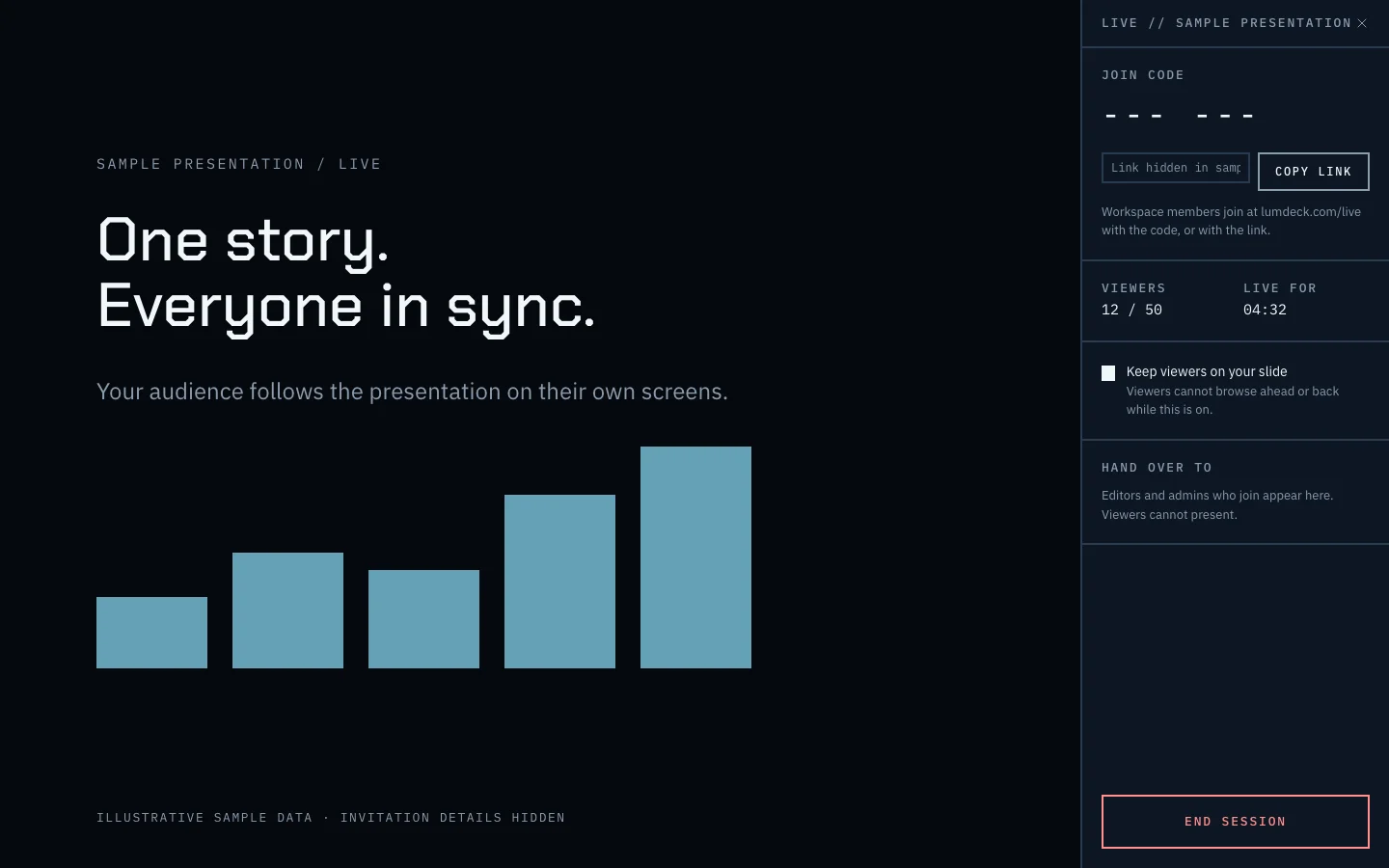
Product panel // illustrative sample, invitation details hidden
Open full-size screenshot in a new tabScreen sharing is the wrong tool
Screen sharing squeezes an interactive deck into a blurry video, and people who join late or on a phone cannot keep up. Sending the file beforehand means everyone is on a different slide.
With a Lumdeck live session, every viewer sees the real deck in their browser and moves with you. When you finish, they keep the link.
How it works
- 01
Open present mode
Full screen, nothing around the deck, arrow keys or a clicker. A timer and a blank-screen key.
- 02
Go live
Choose who may join: workspace members, or also the people holding one of the deck’s links.
- 03
They follow
Viewers join with a code or from the share page and see the slide you are on. You can keep them on your slide or let them browse.
- 04
Afterwards
The session counts as views of the link, and per-slide reading shows where attention went.
What you get
- Full-screen present mode for any HTML deck
- Live sessions joined by code or from a share link
- Keep viewers on your slide, or let them browse
- Hand over to a colleague who joined
- Revoking a link removes its guests at once
Limits and plans are on Pricing; what is not built yet is on what Lumdeck does and does not do.